Create and configure an application in Squale
In Squale an application is considered as a container of projects. Thus a single application could contain numerous projects.
- Create the application
To create an application :
- Click in the horizontal menu on : New application.
- Enter the application name and click on : Confirm.
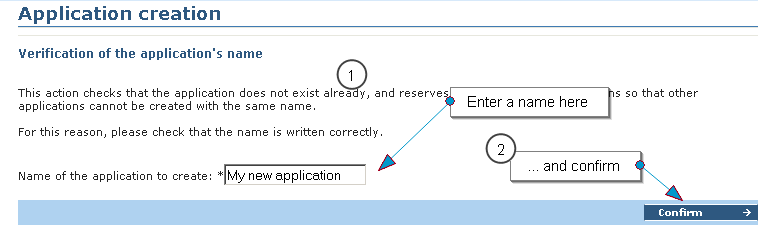
Your application has been created.
- Configuration of the application
- Choose the server on which you wish to run your audit.

- If needed modify the other informations on this page. Note For some modifications you need administrator rights.
- Confirm your choices.
- Configure user access
To configure a user access :
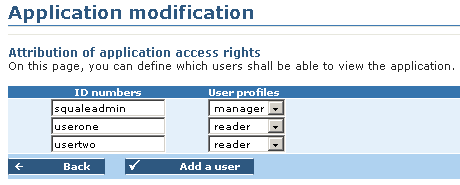
- Add users you wish to authorize access to the application and their profile : manager or reader
- A manager could modify the configuration of the application in Squale.
- A reader could only consult the results and/or the configuration.
- Confirm.
The application is created and has been configured, you can add project to it.


